





10 Strategic Microsoft Access Enterprise Use Cases by Help4Access
By Sasha Froyland, Help4Access
Microsoft Access is a versatile database management tool that plays a vital role in modern enterprise environments. By enabling organizations to create, manage, and analyze data efficiently, Access addresses common challenges faced by businesses in handling large volumes of information. This article explores ten strategic uses of Microsoft Access, providing insights into how it can modernize legacy systems, automate workflows, and enhance business intelligence. With a focus on enhancing efficiency and data management, understanding these uses can empower enterprises to leverage Access effectively. Key sections will cover legacy database modernization, automation capabilities, integration strategies, training approaches, and support best practices. Furthermore, we’ll examine the business benefits that make Microsoft Access a strategic solution for organizations aiming to optimize their database operations.
How Can Microsoft Access Modernize Legacy Enterprise Database Systems?
Microsoft Access stands out as a pivotal tool for modernizing legacy enterprise database systems. Many organizations still operate on outdated systems that can hinder efficiency and scalability. Access provides a pathway to incremental modernization strategies, which encompass gradual updates and adjustments that align legacy systems with current technological advancements. Change management plays a crucial role in this transition, ensuring that employees are equipped to handle new systems while retaining essential functions from the legacy model.
Legacy System Modernization for Enterprise Viability
Information systems are critical assets for modern enterprises and incorporate key knowledge acquired over the life of an organization. Although these systems must be updated continuously to reflect evolving business practices, repeated modification has a cumulative effect on system complexity, and the rapid evolution of technology quickly renders existing technologies obsolete. Eventually, the existing information systems become too fragile to modify and too important to discard. However, organizations must consider modernizing these legacy systems to remain viable.
A survey of legacy system modernization approaches, RC Seacord, 2000
What Are Proven Strategies for Legacy Data Migration with Microsoft Access?

To transition effectively from legacy systems, several proven migration strategies can be applied. Key tactics include:
- Discovery and Assessment: Thoroughly understanding legacy data structures is essential for successful migration. This involves assessing data quality and identifying critical data dependencies.
- Phased Migration Execution: Implementing the migration in phases allows companies to minimize disruption. Organizations can begin with less critical data before moving vital systems.
- Ongoing Governance Practices: Maintaining data integrity post-migration is important. Governance practices ensure that data continues to be managed effectively in the new environment.
Data Migration Challenges and Modernization Needs
Many businesses which use mainframe systems are unreliable these days and are facing the problem of data inconsistency and inaccuracy. Moreover the costs incurred in maintaining these systems keeps on increasing. As the competitors are migrating over to the new technologies and tools available in the market, it is necessary for these businesses to migrate to new environment which is efficient, consistent and reliable to stay in the market and the technologies used in the current environment have become obsolete or no longer serve the business purpose.Data migration from legacy systems to modern database, 2016
How Does Access Enhance Legacy Database Performance and Scalability?
Access significantly enhances the performance and scalability of legacy databases. By implementing modern features such as advanced queries and reporting tools, organizations can generate insights faster than before. Integration with newer platforms allows Access to extend its capabilities, offering improved data analytics and business intelligence functionalities. Performance optimization techniques, such as index tuning and query optimization, further elevate system efficiency, ensuring that enterprises can scale their operations seamlessly.
What Automation Capabilities Does Microsoft Access Offer for Enterprise Workflows?
The automation features embedded within Microsoft Access can transform enterprise workflows, leading to greater efficiency and reduced operational costs. Access simplifies the creation of applications that automate repetitive tasks, enabling employees to focus on more strategic initiatives.
Which Access VBA Automation Techniques Drive Business Process Efficiency?
Various VBA (Visual Basic for Applications) techniques facilitate automation within Access. For exampleが一
- Automated Reporting: Custom scripts can automatically generate reports based on specific triggers, saving time for users who would otherwise compile reports manually.
- Email Notifications: Using VBA, organizations can set up automated email alerts for changes in data, enhancing communication and responsiveness.
- Data Entry Forms: Custom forms streamline data entry processes, reducing errors and improving the speed of information capture.
How Can Integration with Automation Tools Amplify Microsoft Access Functionality?
Integration with external automation tools enhances the capabilities of Microsoft Access, allowing organizations to leverage additional functionalities. Connections with cloud services can enable real-time data processing, while machine learning tools can enhance data analytics capabilities. Access’s compatibility with tools such as Microsoft Power Automate streamlines workflows across different applications, optimizing business processes through enhanced interconnectivity.
What Are Effective Integration Methods Between Microsoft Access and Enterprise Applications?
Effective integration is critical in maximizing the value of Microsoft Access within enterprise ecosystems. By ensuring seamless data exchange between Access and other applications, organizations can streamline operations and enhance data sharing.
How Does Microsoft Access Connect with Cloud Services and APIs?
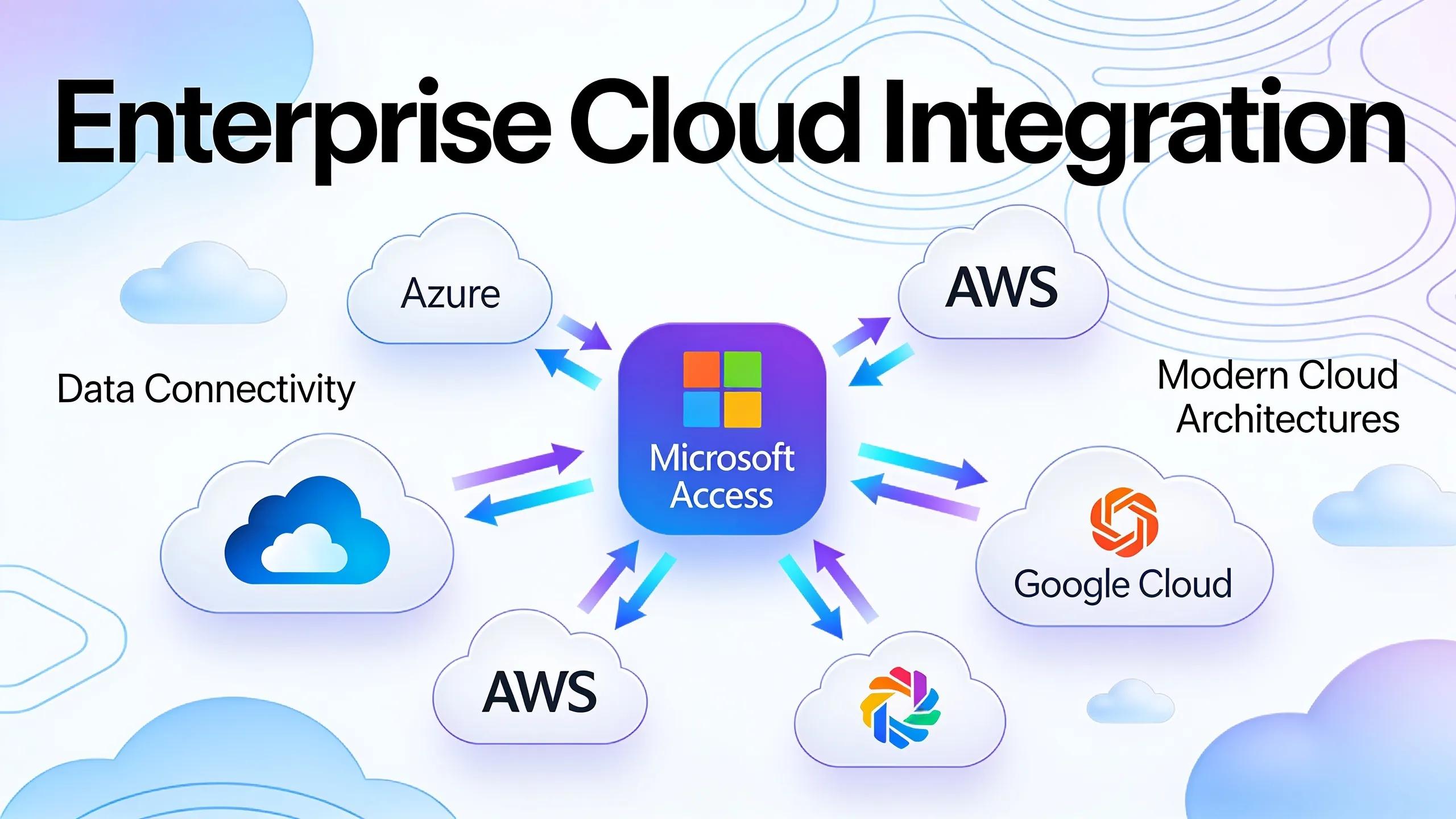
Microsoft Access connects with various cloud services and APIs, facilitating efficient data management. By utilizing APIs, companies can integrate Access with popular cloud platforms, enabling automatic data synchronization and real-time updates. Each cloud-migration scenario requires careful planning to ensure that data integrity is maintained, emphasizing the importance of strategic cloud connections.
Microsoft Access Integration with Cloud Technologies for Enhanced Data Management
The study analyzes the pedagogical rationale for using Access to teach structured data organization and relational logic. It then details the transformative potential unlocked by its integration with cloud technologies, specifically the Microsoft 365 suite and the Power Platform (Power Apps, Automate, BI), which enable ubiquitous collaboration, real-world project simulation, and seamless connection to data visualization tools.THE POSITIVE IMPACT OF MICROSOFT ACCESS IN EDUCATION AND ITS INTEGRATION WITH CLOUD TECHNOLOGIES: AN ACTIVITY-ORIENTED …, 2026
Which Enterprise Software Platforms Commonly Integrate Seamlessly with Access?
Several enterprise software platforms seamlessly integrate with Microsoft Access, maximizing productivity. Key platforms include:
- Microsoft Dynamics 365: Enhances customer relationship management (CRM) capabilities through integrated data management.
- Salesforce: Provides robust sales analytics by allowing for direct data import/export between Access and Salesforce.
- QuickBooks: Facilitates streamlined financial data handling for better reporting and accuracy in financial management.
How Do Targeted Training Programs Maximize Microsoft Access Utilization for Enterprises?
Targeted training programs play an essential role in maximizing the use of Microsoft Access within enterprises. A well-structured training strategy ensures that employees can fully leverage the capabilities of Access.
What Role Does Customized Training Play in Enhancing Access Skillsets?
Customized training programs tailored to meet the specific needs of an organization yield significant benefits. These programs can:
- Improve User Proficiency: Participants develop a strong foundation in Access functionalities, leading to more effective use of the software.
- Increase Training Metrics for Success: Detailed training assessments and feedback allow organizations to track progress and refine training programs for efficacy.
- Enhance Project Completion Rates: Skilled users are more efficient, resulting in faster project turnaround times and higher overall productivity.
What Support and Maintenance Best Practices Ensure Reliable Microsoft Access Performance?
To maintain reliable performance, businesses must implement best practices for support and maintenance. A proactive approach can mitigate potential downtime and optimize system functionality.
How Is Proactive Access Database Support Structured in Enterprise Environments?
Proactive support structures may include:
- Discovery and Assessment Processes: Regular evaluations of database performance help identify issues before they escalate.
- Stabilization and Modernization Efforts: Periodic updates to the Access environment ensure that systems are equipped with the latest features and security patches.
- Role of IT and Business Integration: Fostering a synergetic relationship between IT and business units allows for shared goals in system performance and user engagement.
Which Business Benefits Validate Microsoft Access as a Strategic Enterprise Solution?
The adoption of Microsoft Access offers numerous business benefits that validate its position as a strategic enterprise solution. These advantages can significantly impact operational efficiency and organizational effectiveness.
How Do Microsoft Access Solutions Improve Data Management and Decision Making?
Access solutions enhance data management and decision-making capabilities through features that support real-time analytics and streamlined reporting. Organizations can produce actionable insights faster, promoting data-driven strategies across departments.
What Industry Research Supports Continued Investment in Access Technology?
Recent studies indicate a consistent upward trend in the adoption of Microsoft Access among enterprises seeking efficient data management solutions. These insights highlight Access’s enduring relevance in adapting to modern business environments, emphasizing its role as a foundational tool for organizations aiming to improve their operational capabilities.