



Legacy system modernization is becoming a top priority for organizations that want to reduce IT costs, improve security, and create room for growth. For many teams, a large share of the technology budget still goes into maintaining outdated systems instead of funding innovation, better user experiences, or new digital capabilities.
That challenge is not limited to one sector. Both public and private organizations continue to spend heavily on keeping older systems running, which leaves less budget available for modernization, automation, and strategic investment.
So the real question is not whether legacy systems should be modernized. It is how much longer a business can afford to keep paying for systems that slow it down.
In this guide, we will share the key reasons legacy system modernization matters, the signs that your current systems are holding you back, the main challenges you may face, and the best practices that can help you modernize without making the process more complicated than it needs to be.
📋 What You’ll Learn in This Guide
- What legacy system modernization actually means
- The real cost of staying put vs. modernizing
- The 5 Rs framework — which approach fits your situation
- Key benefits, warning signs, and common challenges
- How to build a step-by-step modernization roadmap
What Is Legacy System Modernization?
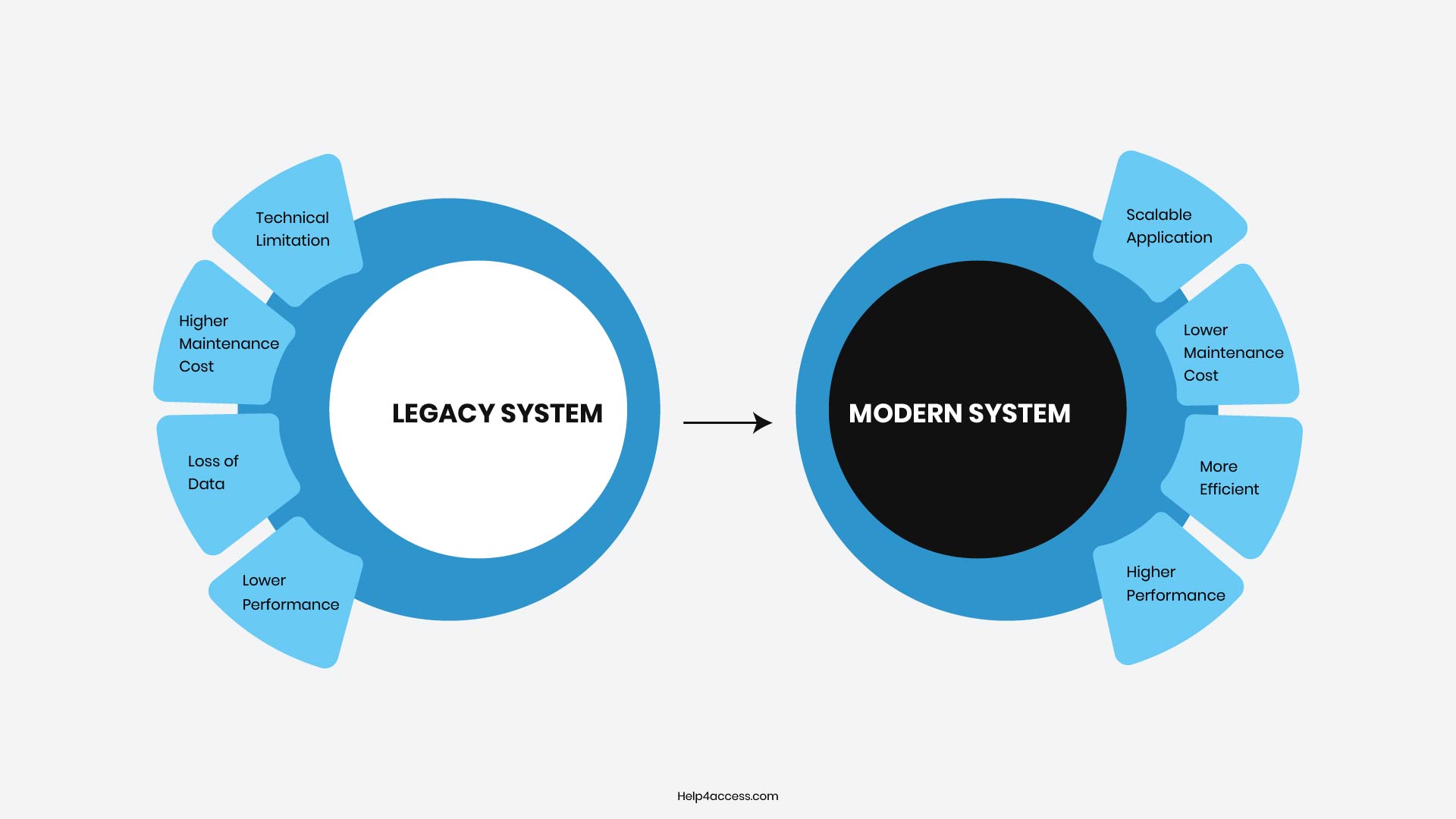
Legacy system modernization is the process of updating, migrating, or restructuring outdated software so it meets current security standards, business needs, and technology capabilities. It does not always mean replacing everything from scratch.
The term gets used loosely, so it helps to be specific. Sometimes it means re-platforming an application to run in the cloud. Sometimes it means re-architecting a monolithic system into smaller services. And sometimes full retirement and replacement is the only sensible path forward.
Legacy application modernization covers everything from refreshing the user interface to completely rebuilding the application architecture. The common thread across all approaches is making the system useful, secure, and maintainable again.
For many organizations dealing with Microsoft Access or similar platforms, this often includes targeted legacy application migration or database modernization services to move data safely while preserving business logic.
What Modernization Actually Costs (and What Staying Put Costs)
Modernization carries upfront costs, but the math favors action when you stack it against endless legacy upkeep, breaches, and lost agility.
80%
of federal IT budgets spent on maintaining existing legacy systems (GAO 2025)
$4.44M
average global cost of a data breach (IBM 2025), with U.S. breaches averaging $10.22M
20–40%
reduction in infrastructure and licensing costs within a few years after successful cloud migration
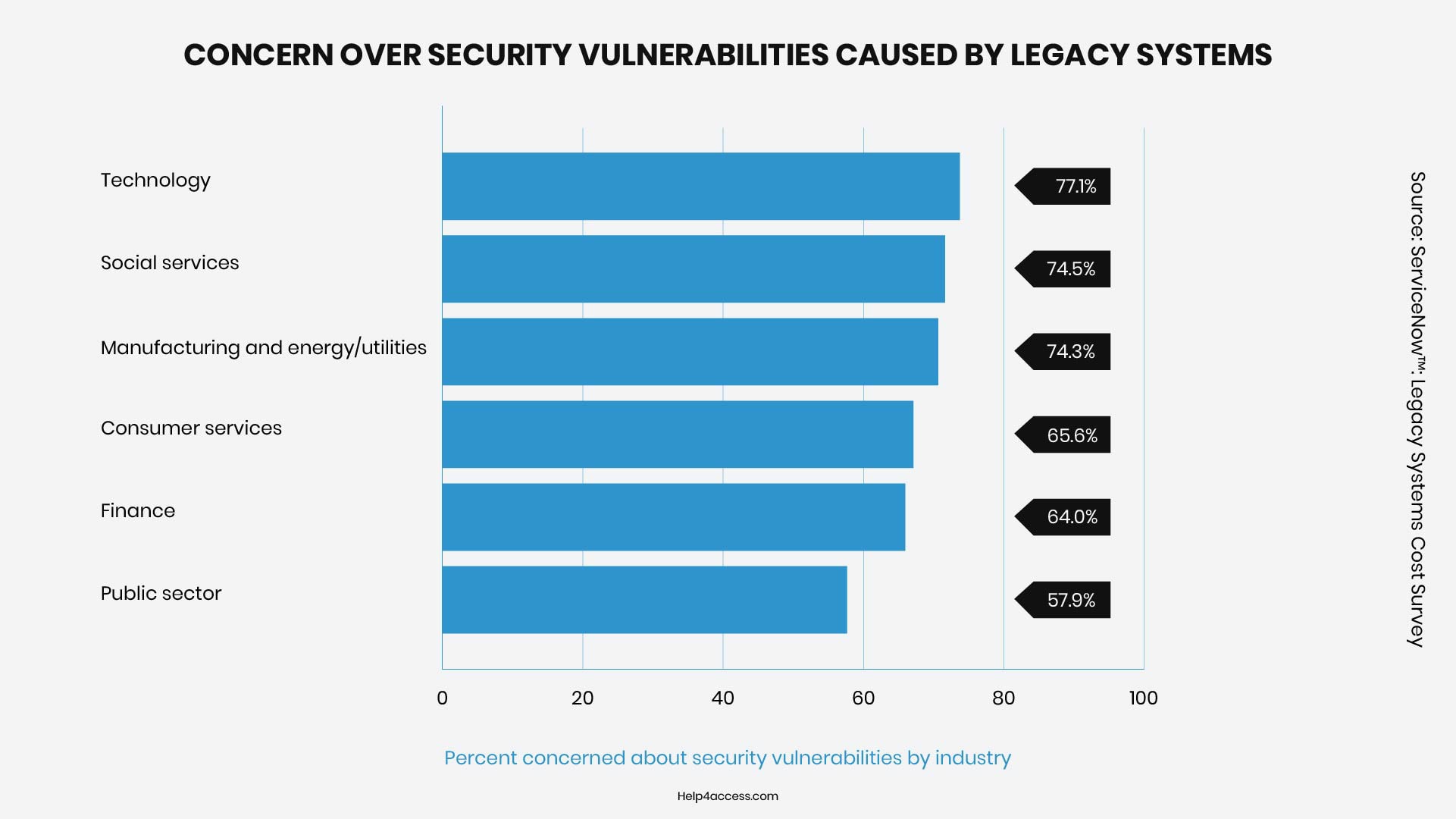
- Security and Cost Pressures: Security gaps in legacy systems remain a top concern for IT leaders. Many surveys show technology teams reporting high levels of worry about vulnerabilities in outdated platforms.
- U.S. Government Reality: Federal agencies spend over $100 billion yearly on IT, with roughly 80% directed toward operating and maintaining existing (often legacy) systems. The GAO’s 2025 report highlights 11 critical legacy systems across agencies that still carry significant cybersecurity risks, outdated languages, and high maintenance burdens.
- Private Sector Gains: Organizations that successfully migrate to the cloud or modern platforms often reduce infrastructure and licensing costs by 20 to 40% within a few years. Some achieve strong ROI through better data utilization and AI integration.
- Breach Entry Points: According to IBM’s 2025 Cost of a Data Breach Report, the global average cost of a data breach is $4.44 million (with U.S. breaches averaging a much higher $10.22 million). Unsupported or end-of-support software frequently serves as an initial access point for attackers.
- Audit Process Costs: Reliance on manual processes in legacy environments drives up compliance and audit expenses. Modern platforms with automated logging and reporting significantly reduce these burdens.
Types of Legacy System Modernization
The most widely used framework for legacy system modernization is adapted from the Gartner 5 Rs model, which Amazon Web Services later expanded to 7 Rs. Here is how the main approaches break down:
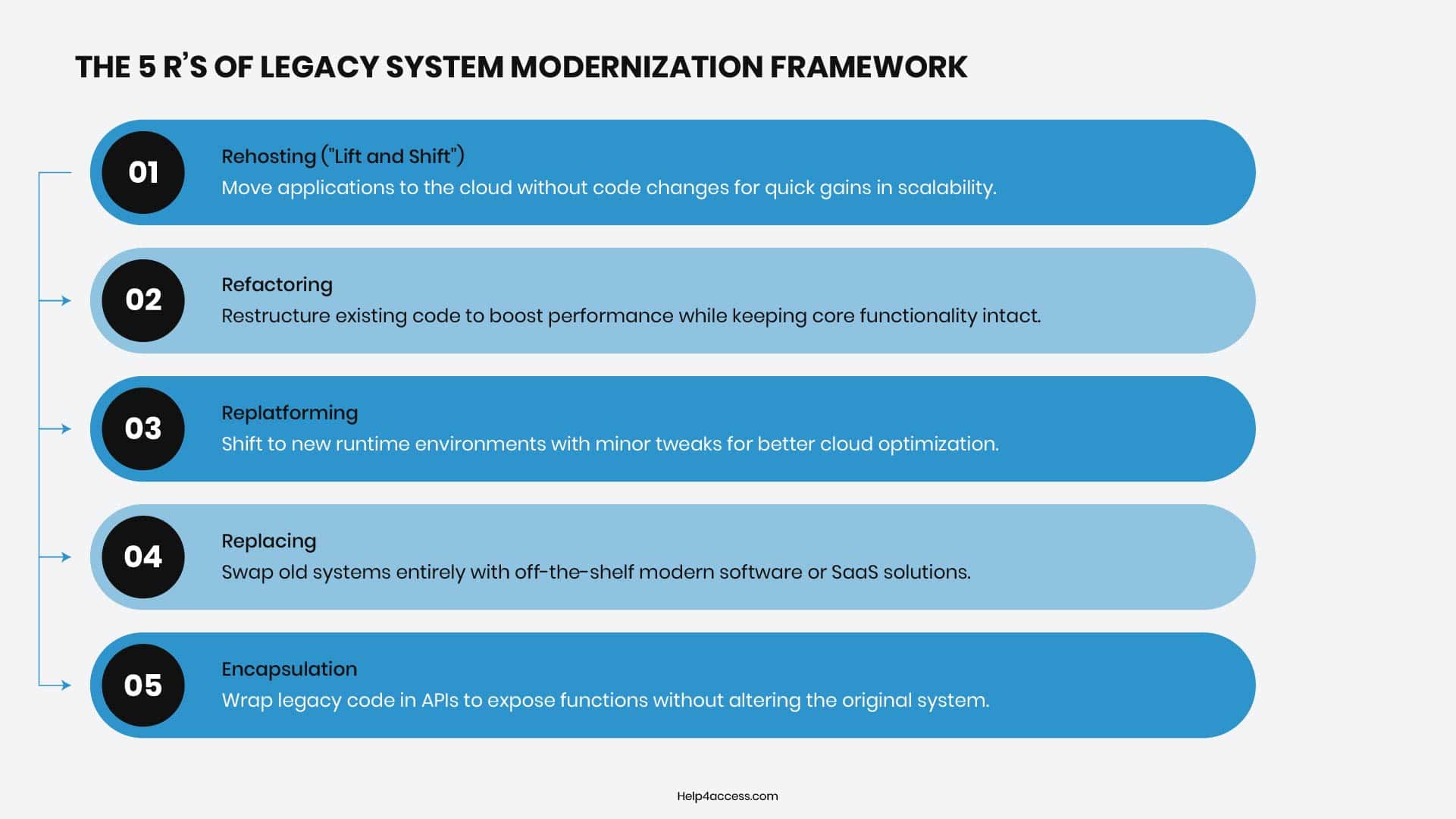
Rehosting (“Lift and Shift”)
Rehosting, commonly known as “lift and shift,” offers the swiftest path by migrating the existing application to new infrastructure like the cloud without touching its code. This rapidly slashes hardware expenses and downtime, making it ideal for urgent needs, though it sidesteps deeper architectural issues that could resurface later.
Refactoring
Refactoring focuses on surgically restructuring the internal codebase to enhance performance, readability, and maintainability while preserving the system’s external behavior and proven business logic. It’s a smart choice for applications where the core functionality remains solid but years of patches have left the code brittle, inefficient, or hard to scale.
Replatforming
Replatforming builds on rehosting with targeted tweaks, such as adapting the app to exploit cloud-native features like container orchestration or managed databases. This strikes a practical middle ground that boosts scalability and efficiency without demanding a total rewrite.
Replacing
Replacing discards the old system entirely in favor of a modern commercial or open-source alternative. This works best when a market-ready solution can fully meet business needs without heavy customization. If you are weighing this against building something from scratch, the buy vs. build analysis is a useful starting point.
Encapsulation
Encapsulation wraps the legacy system in a modern interface or API layer, allowing it to coexist with new applications without internal changes. This “strangler pattern” approach isolates outdated code while enabling gradual migration, preserving stability during transition and reducing immediate risks associated with full replacement or rewrite.
Key Benefits of Legacy System Modernization
Modernizing outdated IT systems delivers transformative value by slashing costs, bolstering defenses, speeding up innovation, and paving the way for AI-powered growth.
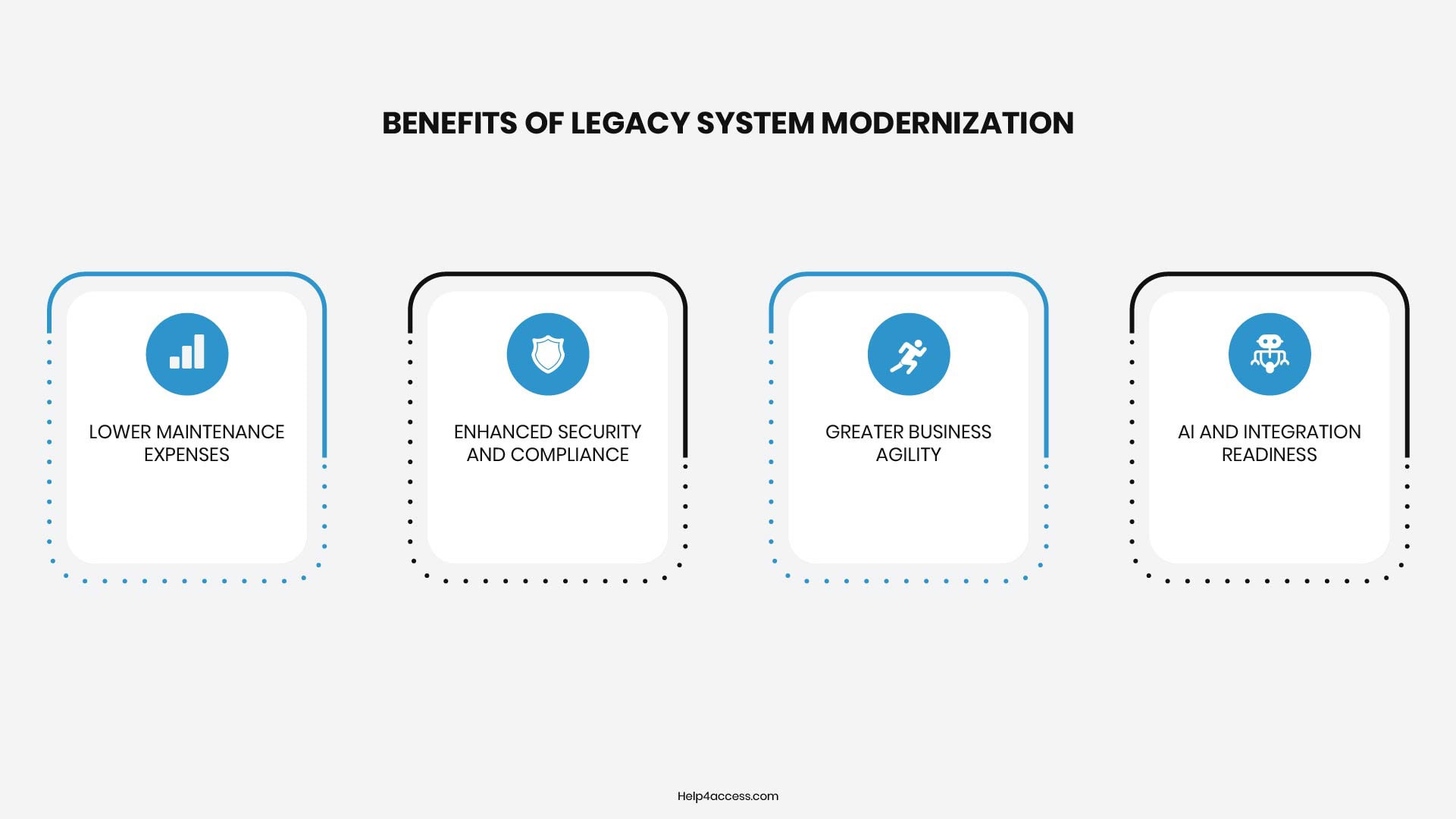
Lower Maintenance Expenses
Legacy systems drain IT budgets, costing departments an average of $40,000 yearly while consuming 60–80% of enterprise IT spending on upkeep. Legacy system modernization cuts this burden sharply, freeing funds for high-impact initiatives that drive real business progress.
Enhanced Security and Compliance
Over 75% of tech leaders cite security gaps in legacy setups as a major worry, with data breaches averaging $4.4 million in damages. Upgraded platforms deliver ongoing patches and align with today’s strict regulations, far surpassing what aging systems can achieve.
Greater Business Agility
Rigid legacy architectures slow feature rollouts and inflate costs for market responses. API-based, modular modern stacks enable rapid iterations, letting teams deploy updates in days rather than months.
AI and Integration Readiness
Cloud-native, API-first architectures eliminate technical debt and enable seamless automation. Legacy systems block these advances, stalling AI and analytics adoption that most businesses are actively building toward. Without legacy system modernization, those tools stay inaccessible no matter how much is invested in them.
Five Signs Your Legacy System Needs Modernization
Poor software quality costs US organizations hundreds of billions of dollars each year according to the Consortium for Information and Software Quality, with much of that tied to technical debt building up in old systems. Delaying legacy system modernization only ramps up the eventual price tag and disruption.
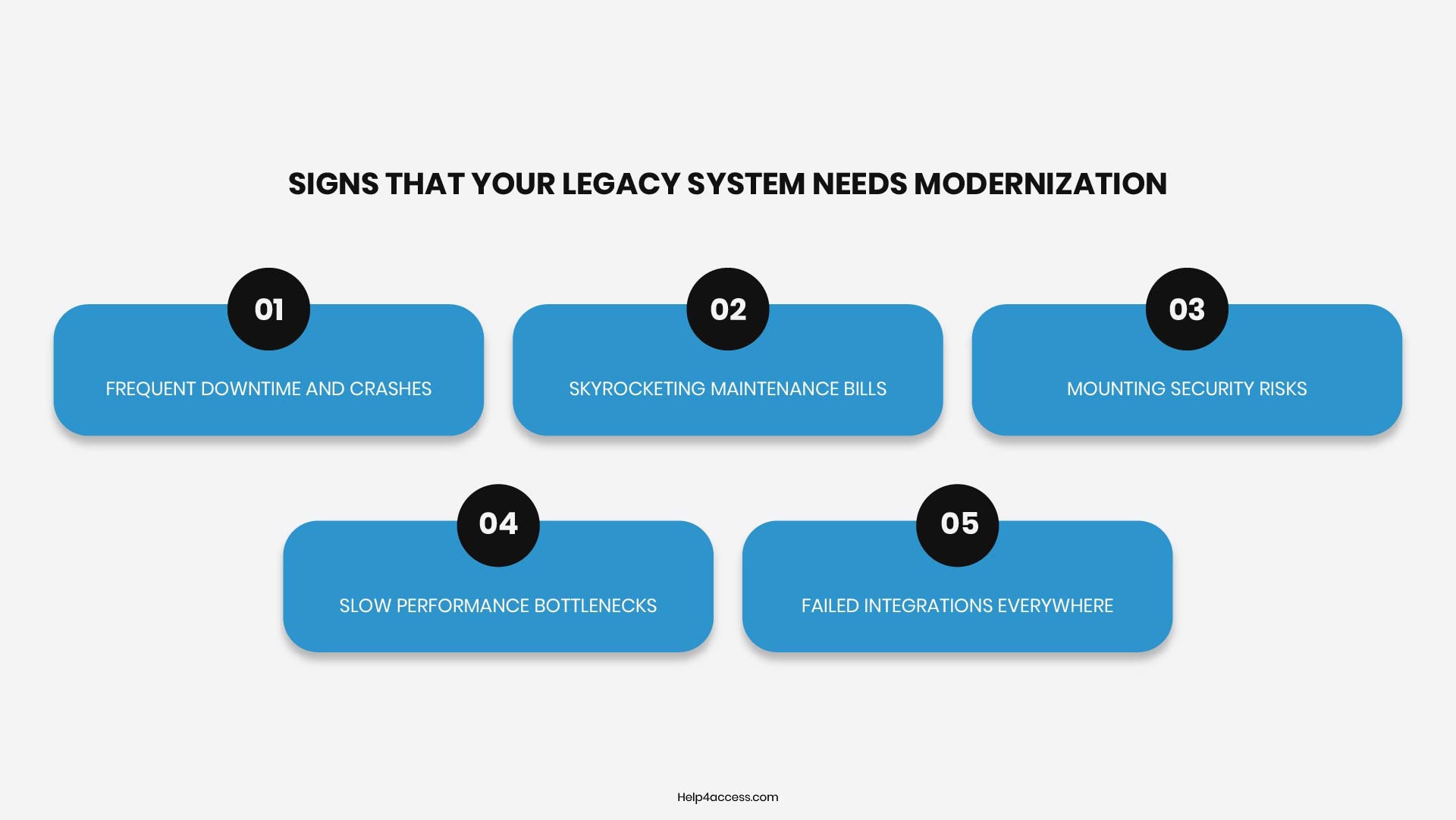
1. Frequent Downtime and Crashes
Your system goes down every few weeks, halting order processing or customer support for full shifts. Staff scramble with quick fixes that barely hold, while users abandon carts or switch to competitors during blackouts. Patching brittle code from the 2000s no longer cuts it, as core flaws in outdated languages like COBOL trigger cascades of errors under real workloads.
2. Skyrocketing Maintenance Bills
IT teams now dedicate 70 percent of their hours to propping up a single legacy app, with yearly costs hitting six figures just for scarce specialists who still know its quirks. Every minor tweak requires weeks of regression testing on ancient servers, pulling budget from new projects. This endless cycle traps funds that could build revenue features instead.
3. Mounting Security Risks
Vulnerability scanners flag dozens of unpatchable flaws weekly, like buffer overflows in unsupported middleware that ransomware actors target daily. Compliance audits fail because the system predates GDPR or PCI rules, exposing you to million-dollar fines. Without vendor support ended years ago, each breach attempt chips away at trust and invites regulators knocking.
4. Slow Performance Bottlenecks
Simple reports that once took seconds now crawl for 10 minutes as the system chokes on growing data volumes it was never designed for. Monolithic databases on spinning disks cannot scale, forcing users to export data to spreadsheets for any real analysis. This lag directly cuts sales team output and lets faster rivals capture market share.
5. Failed Integrations Everywhere
Connecting to Stripe for payments or Salesforce for CRM takes months of custom scripts that break on updates. The rigid, non-API structure blocks cloud migrations, so AI tools for predictive analytics sit unused while data stays siloed. Teams resort to error-prone manual CSV transfers, stalling the automation every competitor already runs.
Common Challenges in Legacy System Modernization
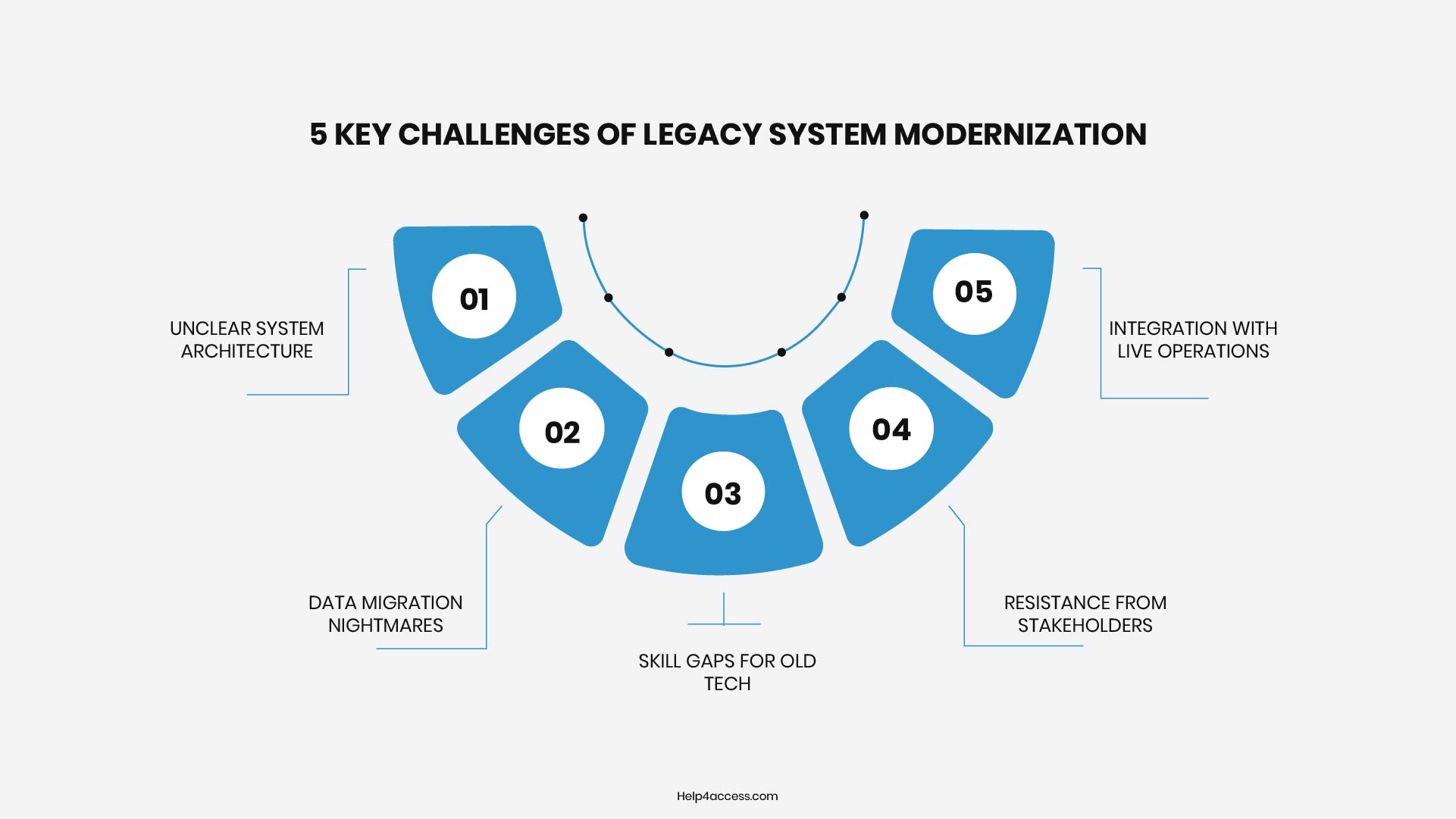
Modernizing legacy systems promises big gains, but the path often hits roadblocks rooted in deep technical roots and organizational habits. These hurdles slow progress for many teams, yet spotting them early helps plan smarter workarounds.
1. Unclear System Architecture
Teams face tangled codebases built over decades, with no maps or docs showing how parts connect. Engineers waste weeks reverse-engineering COBOL modules or proprietary databases just to grasp dependencies, delaying the full migration scope. This is where engaging application modernization consulting early can save significant time and cost.
2. Data Migration Nightmares
Extracting petabytes of data from rigid formats like VSAM files risks corruption or loss during transfer to cloud SQL. Inconsistent schemas from years of ad-hoc changes force custom ETL scripts that balloon timelines and test budgets.
3. Skill Gaps for Old Tech
Few developers today master mainframe languages or AS/400 quirks, so hiring specialists spikes costs and slows velocity. Internal staff trained on modern stacks struggle with debugging, creating bottlenecks until external consultants bridge the divide.
4. Resistance from Stakeholders
Business units cling to “if it ain’t broke” logic, fearing disruptions to proven workflows like nightly batch jobs. Proving ROI takes pilot proofs that eat months, while change fatigue stalls buy-in across siloed departments.
5. Integration with Live Operations
Running parallel new and old systems during cutover strains resources, as real-time sync fails under peak loads. Rollback plans for glitches add complexity, and even brief downtime hits revenue in 24/7 sectors like finance or e-commerce.
Best Practices for Legacy System Modernization
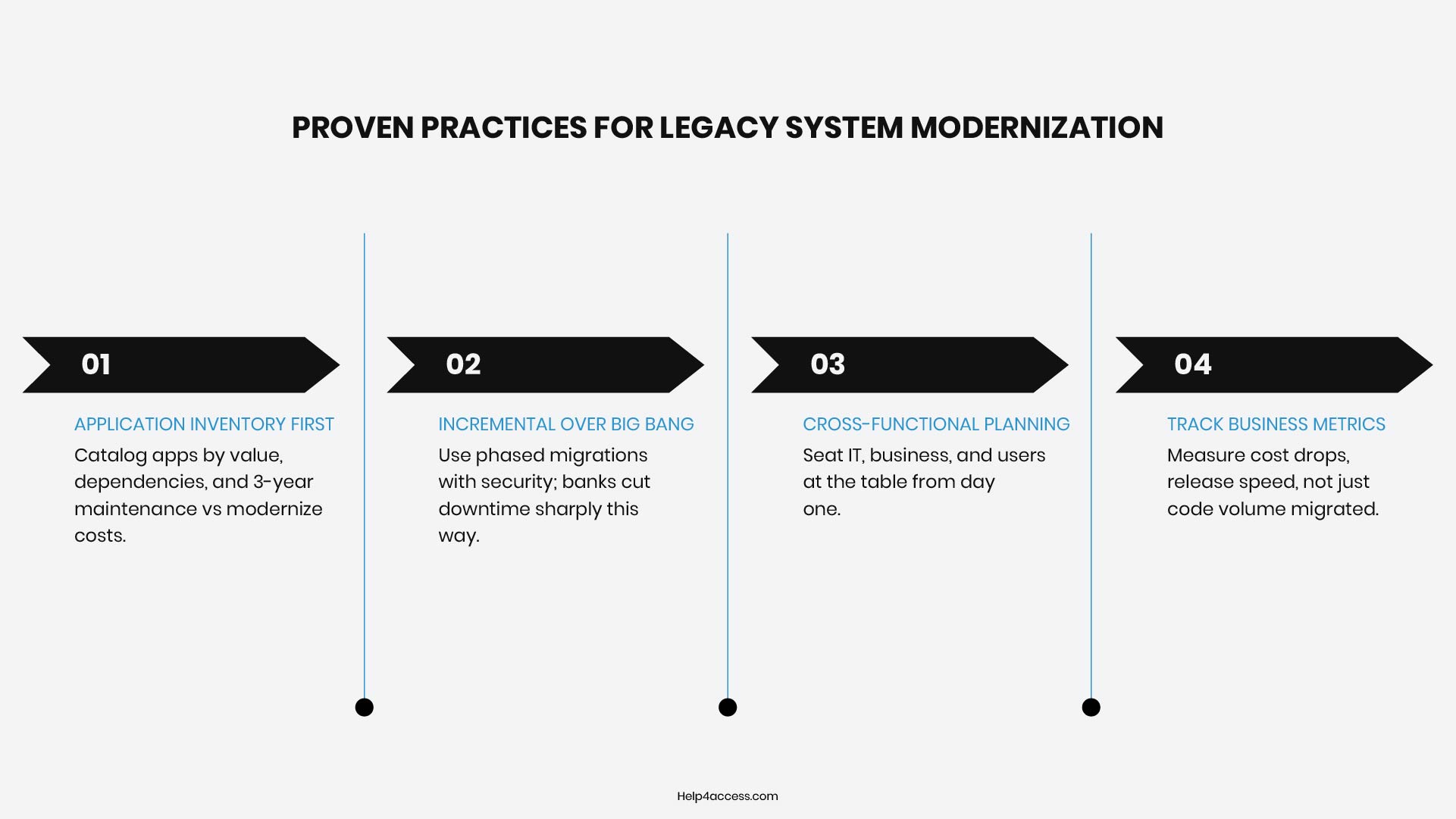
- Start with an honest assessment before committing to any approach. Map every application, its business value, its dependencies, and what it would cost to maintain for another three years versus invest in legacy system modernization now.
- Avoid the big bang approach. Top organizations in 2025 and 2026 favor incremental migration with embedded security over risky single-cutover transformations. Banks using phased strategies have cut downtime dramatically and launched digital products much faster than competitors attempting full replacements.
- Involve cross-functional teams early. IT leaders, business stakeholders, and end users all need a seat in the planning process. Decisions made in isolation by one group regularly create friction when the project reaches execution.
- Focus metrics on real value like reduced upkeep costs, faster feature releases, and deployment velocity, not just lines of code migrated. These outcomes prove ROI to executives and keep teams motivated through visible wins.
And if your team needs to build internal capability during the process, our Microsoft Access training services and application support can run alongside modernization efforts to reduce single-person dependency on critical systems.
Challenges and Risks of Legacy System Modernization
Modernization is not without risk, and underestimating the challenges is one of the most common reasons projects stall or fail.
On the technical side, undocumented integrations are a persistent problem. Organizations often discover connections between systems only after something breaks. Data migration errors can lead to corrupted or lost records if not handled carefully. Performance regressions can occur when applications rebuilt for one environment behave differently in another.
Business risks include project overruns, which are common when scope is poorly defined at the outset, and organizational disruption if users are required to change workflows before training is adequate. There is also the risk of modernizing the wrong things first. Replacing a system that was working adequately while leaving a genuinely problematic one in place is a costly misallocation of resources.
Operationally, the transition period is particularly vulnerable. Running both old and new systems in parallel while validating the new environment is expensive and requires careful coordination to avoid data inconsistencies.
Legacy Application Migration Explained
Legacy application migration is one of the most common parts of a broader modernization effort. It specifically involves moving applications from one environment to another, such as from on-premise servers to the cloud, or consolidating platforms.
Successful migrations usually start with a low-risk pilot (one module or service) to test the approach and surface issues early. Once validated, the process scales in phases, often running the old and new systems in parallel.
Key risks include data loss, downtime during cutover, integration failures, and performance differences. A phased approach with thorough testing and rollback plans is essential to avoid simply moving old problems to a new environment.
How to Build a Legacy System Modernization Roadmap
A workable modernization roadmap follows a consistent structure, regardless of the scale of the organization or the complexity of the systems involved.
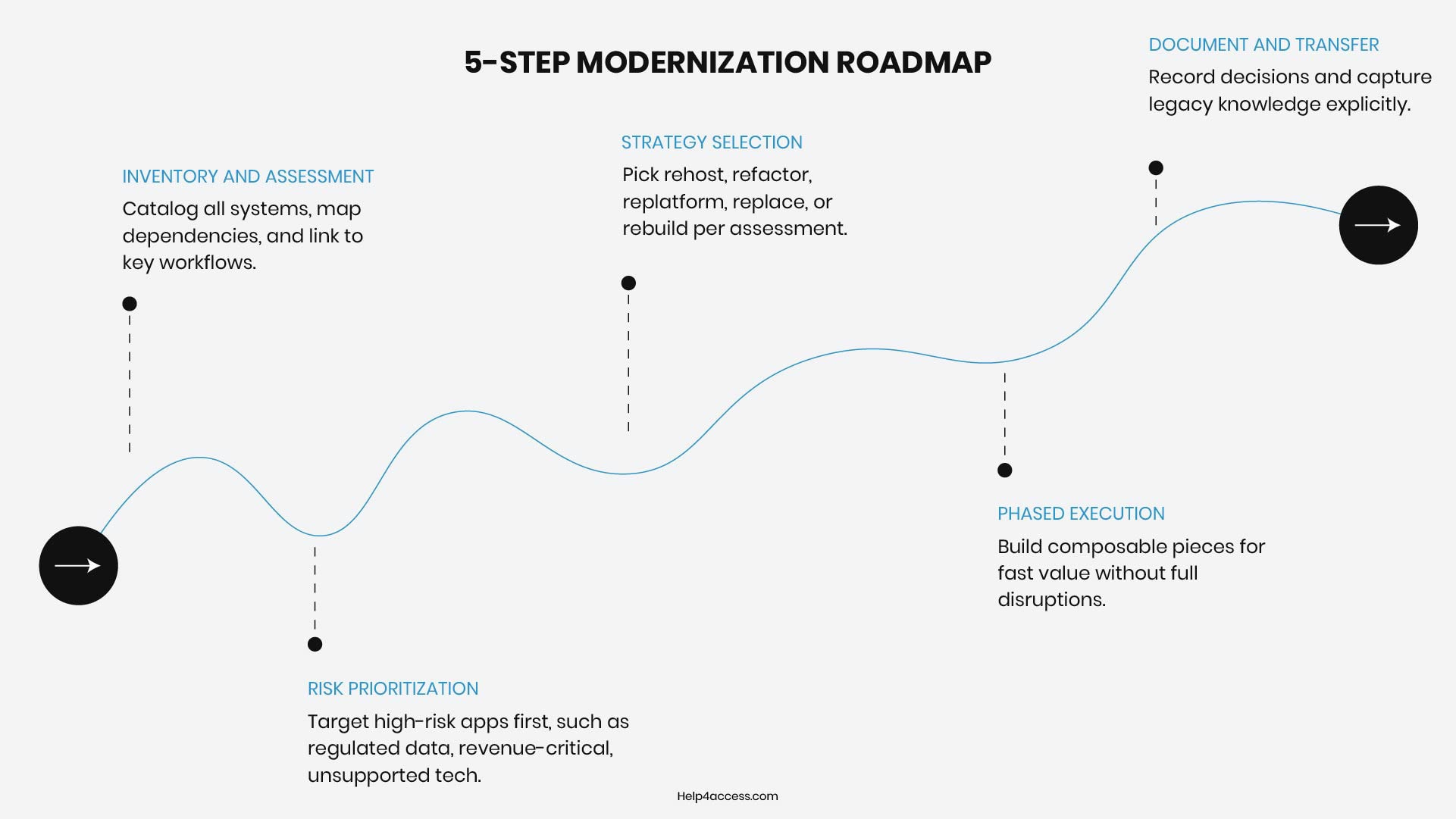
- Inventory and Assessment. You need a complete, verified picture of every system, database, and application in your environment, including those that may not be formally registered with IT. This phase also maps dependencies between systems and identifies which workflows each system supports.
- Risk Prioritization. Not every legacy system carries the same level of risk. Systems that handle regulated data, support revenue-critical workflows, or run on unsupported software need to be addressed first. Systems that are stable, well-documented, and low risk can be addressed on a longer timeline.
- Strategy Selection. Based on what the assessment reveals, you choose the appropriate approach for each system — whether that is rehosting, replatforming, refactoring, re-architecting, replacement, or database modernization services.
- Phased Execution. Composable modernization reduces risk by allowing teams to deliver early returns on specific business needs without disrupting ongoing operations. This approach accelerates time to value and creates frequent wins for stakeholders. Attempting to modernize everything at once is the surest way to create disruption and lose stakeholder confidence.
- Documentation and Knowledge Transfer. Every decision made during legacy system modernization should be documented. The institutional knowledge that lives in legacy systems needs to be captured explicitly, not left to chance.
Need Expert Guidance on Your Modernization Journey?
Legacy system modernization is one of the most consequential investments an organization can make in its long-term operational health.
The costs of delay are real — measured in security exposure, lost productivity, and the growing gap between what the business needs and what its systems can deliver. The best way to approach this is to start with a simple, honest look at what you currently have, create a clear plan, and take things step by step.
If you’re thinking about updating your systems, moving your database, or need help with Microsoft Access, Help4Access can guide you through the process.
Related resources you may find useful:
- Microsoft Access End of Life 2026: Is It Being Discontinued?
- Microsoft Access Applications with Machine Learning: A Comprehensive Guide
- Creating a Microsoft Access Database Application with ChatGPT
Frequently Asked Questions
What is the difference between legacy system modernization and legacy application migration?
Legacy system modernization is a broad strategy that may include rehosting, refactoring, or replacing systems, while legacy application migration specifically focuses on moving applications (and often their data) from one environment to another, such as on-premises to cloud or old databases to modern platforms like SQL Server.
How much does legacy system modernization typically cost?
Costs vary widely depending on system complexity, chosen approach (e.g., rehosting vs. full rebuild), and scale. However, many organizations see 20–40% reductions in ongoing infrastructure and licensing expenses within a few years, often offsetting initial investments through lower maintenance and fewer breach-related costs.
What are the biggest risks in legacy application modernization?
Common risks include data loss or corruption during migration, unexpected downtime, integration failures with existing systems, and skill gaps for maintaining older technologies. A phased approach with thorough testing and parallel running of old and new systems helps mitigate these.
When is the right time to invest in database modernization services?
If your current setup suffers from slow performance with growing data volumes, frequent security vulnerabilities, failed integrations with modern tools (like CRM or payment systems), or skyrocketing specialist maintenance costs, it’s likely time to explore database modernization services.
Can small and mid-sized businesses afford application modernization consulting?
Yes. Many providers, including those specializing in Microsoft Access environments, offer flexible, value-based engagement models. The focus is on delivering measurable ROI through stabilized systems and safer modernization paths without long-term subscriptions or hidden fees.
How long does a legacy system modernization project take?
The timeline varies depending on the size, complexity, and chosen approach. Small, low-risk migrations (like rehosting a single application) can take a few weeks, while large-scale transformations involving multiple systems, data migration, and re-architecture may take several months to a few years. Organizations that follow a phased or incremental approach often see faster results, as they can deliver improvements in stages rather than waiting for a full system overhaul to be completed.